Best Knowledge Base Software for Small Business Websites: Features That Matter Most
 Grzegorz Graczyk9 min read
A small team shouldn’t have to answer the same billing, setup, and product questions across email, chat, and sales calls. The right knowledge base turns each verified answer into a reusable asset: customers solve routine problems, search visitors discover useful pages, and an AI assistant responds from approved business information.
The best knowledge base software for a small business website depends on where that asset needs to work. Against this guide’s criteria—customer-facing self-service, public-content discoverability, AI grounding, escalation, and maintenance effort—we consider ProjectHQ the strongest fit when website content and approved documents must supply one shared knowledge layer for AI chat and content operations. Help Scout is a practical choice for a lightweight hosted help center. HubSpot suits CRM-centered service teams, Zendesk serves more demanding support operations, and Document360 targets documentation-led businesses.
This guide focuses on customer-facing website knowledge. An internal employee wiki or developer API portal has different requirements and deserves a different shortlist.
The best choice depends on where self-service happens
Start with the customer’s path, not the software category. Someone may search Google for a return policy, browse your help center during setup, or ask a chat assistant while viewing the pricing page. Each route should reach the same current answer.
That creates five distinct buying models:
- Connected website knowledge: Existing pages and approved documents ground AI chat and related content workflows.
- Lightweight help center: A small support team publishes searchable articles without managing a separate CMS.
- CRM-centered service: Knowledge, customer records, tickets, and reporting live within one service platform.
- Full support suite: Agents, AI, self-service, and content operations share a deeper support system.
- Documentation platform: Structured authoring, governance, versioning, and public or private documentation take priority.
Decide which model describes your operation before comparing feature grids. Otherwise, it’s easy to buy sophisticated authoring controls when your actual bottleneck is getting approved answers into chat, or to buy an AI layer when you still need a public help center.
Three outcomes matter more than a long feature list
Support deflection
Support deflection happens when a visitor resolves a question without opening a ticket. Article views alone don’t prove that. A useful platform helps people find the right answer, apply it, and escalate cleanly when self-service fails.
Inspect search quality, zero-result query reporting, article feedback, contextual article suggestions, and the route to a person. Help Scout Docs, for example, reports on failed searches and article ratings, while its Beacon can surface help content on a website or inside a product.
Software can distribute answers, but the underlying content still determines whether they work. Our guide to building a website knowledge base that reduces support tickets explains how to prioritize questions and structure articles around resolution.
SEO visibility
A public knowledge base can attract people searching for specific problems, policies, integrations, or workflows. That only works when search engines can access and understand the pages.
Google’s SEO Starter Guide recommends logical site organization, descriptive URLs, useful headings, internal links, and current, people-first content. Apply those standards to help content just as rigorously as you would to a blog or landing page.
During a trial, verify that public articles have stable URLs, editable titles, sensible internal links, and appropriate index controls. Check how the platform handles redirects and canonical URLs after an article moves. A polished editor means little if every help article is isolated, duplicated, or hidden from crawling.
AI readiness
AI writing assistance and AI answer delivery solve different problems. Customer-facing assistants need access to approved sources, a reliable refresh process, explicit exclusions, and a safe path for questions the source material doesn’t answer.
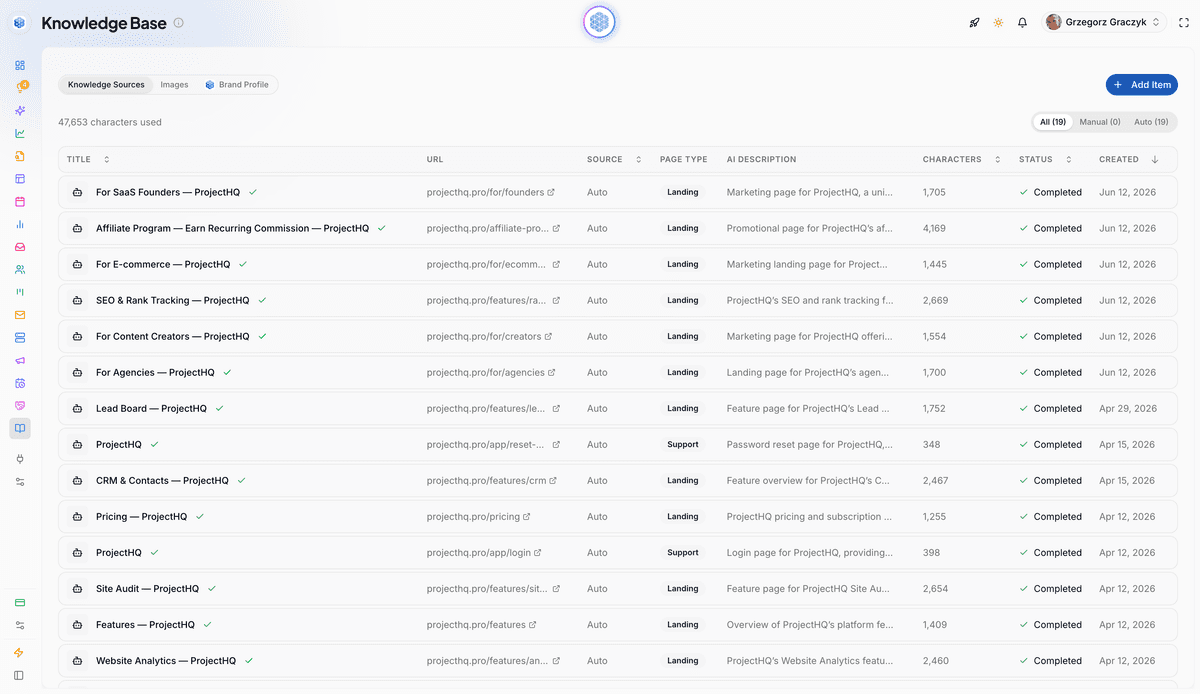
Our ProjectHQ Knowledge Base accepts URLs, text, and PDFs. Relevant documentation, support, and landing pages can also sync from site audits and refresh on later crawls. That maintained source set powers our AI assistant, which uses the visitor’s current page for context and supports human handoff. If chat is central to your buying decision, use our separate guide to the AI live chat features small teams should inspect.
How this shortlist was evaluated
This is a documentation-based comparison, not a hands-on cross-product benchmark. We reviewed each competitor’s official product page for customer-facing publishing, search and SEO controls, AI use, escalation, reporting, maintenance, and portability; no competitor product was run through the 30-minute test below for this edition. Statements about ProjectHQ describe the product we build and operate.
Last verified: July 2026. Plan availability, AI features, and product names are time-sensitive. We’ll recheck the linked vendor pages quarterly and before any material update to this comparison.
Five tools worth shortlisting
These products overlap, but they aren’t interchangeable. Compare them by operating model and workflow fit rather than awarding points for the longest feature list.
| Tool | Best fit | Capabilities listed by the vendor | Main tradeoff to inspect |
|---|---|---|---|
| ProjectHQ | Small teams connecting website knowledge, AI chat, and content operations | URL, text, and PDF sources; auto-sync from site audits; page-aware AI assistant; human handoff | Choose a dedicated help-center product if a standalone documentation portal is your central requirement |
| Help Scout Docs | Small support teams wanting a straightforward hosted help center | No-code publishing, branding controls, Beacon distribution, AI-agent support, failed-search and article-rating reports | Confirm that its SEO controls and documentation governance match your publishing requirements |
| HubSpot Service Hub | Businesses already operating support and customer data in HubSpot | Search-optimized articles, multilingual publishing, content-gap insights, reporting, and CRM connections | HubSpot currently lists its advanced knowledge-base features in Professional and Enterprise Service Hub editions; verify current packaging on its product page |
| Zendesk Knowledge | Support-heavy teams that need knowledge across agents, AI, and self-service | Multiple knowledge sources, AI-assisted content creation and updates, agent answer delivery, and self-service performance insights | The broader support platform may exceed the needs of a very small operation |
| Document360 | Documentation-led SaaS and support teams | Public and internal knowledge, semantic search, version control, analytics, and AI-assisted maintenance | Evaluate the extra governance and documentation depth against your team’s actual publishing capacity |
ProjectHQ for one connected knowledge layer
We built ProjectHQ for teams tired of moving the same information among separate SEO, content, chat, and customer systems. Add approved pages and documents once, then use that knowledge to inform AI content and answer website visitors through our chat assistant. Source exclusions give you control over what enters the knowledge base, and recrawls keep eligible website material synchronized as it changes.
This setup is especially useful when customers already encounter answers across product pages, landing pages, FAQs, and support content. It reduces the copying and connector maintenance described in our guide to connecting AI content, chat, and SEO in one workflow.
Help Scout Docs for a clean support workflow
Help Scout Docs publishes a branded, searchable help center and uses Beacon to place articles on a website or inside a product. Its official product page also lists reporting for popular content, failed searches, and reader ratings. That makes it a sensible shortlist candidate when support self-service is the primary job and a small team wants to launch without web development work.
HubSpot for CRM-centered service
HubSpot’s knowledge base fits businesses already using Service Hub and its CRM. HubSpot lists searchable, multilingual help content, service reporting, and recommendations for missing articles among its current capabilities.
The main buying question is economic and operational: do you need enough of the wider Service Hub to justify a Professional or Enterprise edition? HubSpot currently places advanced knowledge-base features in those editions, so check its product page for current packaging before treating that availability as fixed.
Zendesk for deeper support operations
Zendesk Knowledge brings together knowledge from multiple sources for agents, AI, and self-service, with content creation and performance tools described on its official product page. It suits a team with meaningful ticket volume, multiple support contributors, or a need to distribute approved knowledge across several service channels.
A five-person company may find that depth useful during rapid growth, but it should still test administration time. More control creates more configuration, ownership, and reporting work.
Document360 for documentation discipline
Document360 focuses on structured public and internal documentation. Its product page lists semantic search, analytics, version control, and AI assistance for writing and maintenance. Put it on the shortlist when documentation is a product capability in its own right, especially for SaaS onboarding and technical support content.
Teams with a small article library should judge whether they’ll use that structure consistently. Unused workflow sophistication becomes overhead.
What to inspect before you buy
Publishing and SEO controls
Ask the vendor to show public and private content separation, domain or subdirectory options, editable page titles and URLs, redirects, canonical handling, sitemap controls, and index settings. Then view a published page on mobile and inspect how related articles link together.
If organic discovery matters, publish one realistic test article and check the rendered HTML. Don’t settle for a promise that the help center is “SEO-friendly.”
Search and deflection evidence
Run the same question using customer language, an abbreviation, and a vague symptom. Good search should tolerate the vocabulary gap between your team and your users. Then check whether the platform records a failed query and gives an editor enough context to act on it.
Your content backlog should come from real demand. Chat logs, support threads, sales objections, and on-site searches are productive sources; our process for finding website visitor questions turns those inputs into a prioritized queue.
AI grounding and escalation
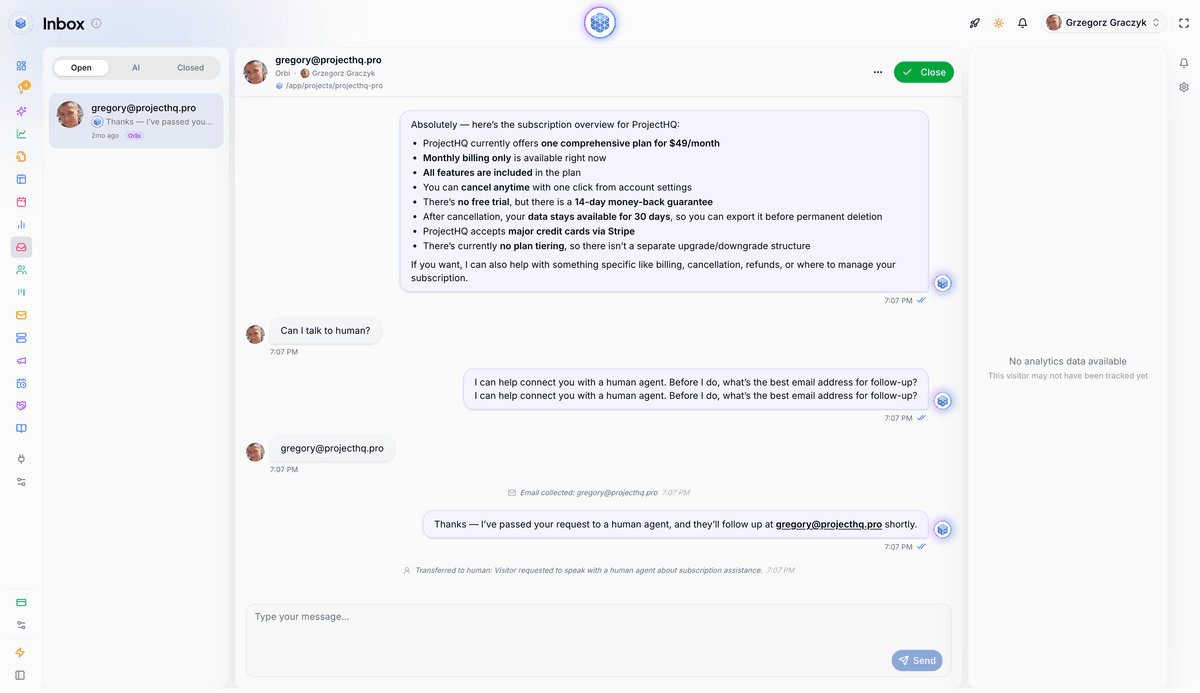
Ask exactly which sources the assistant uses, how quickly updates appear, and what happens when sources conflict. Test whether you can exclude a sensitive or outdated page. Trigger a question with no approved answer and watch the behavior: the assistant should avoid improvising a policy and provide a clear escalation route.
Also inspect the human side. Does the agent receive the conversation history, visitor details, and page context, or must the customer repeat everything?
Maintenance and portability
Content decays. Look for ownership fields, review workflows, version history, approvals, bulk changes, and automated source refreshes that match your team’s capacity. A system that requires one specialist to update every answer will become stale during a busy month.
Before signing, export an article with its images and metadata. Ask how URL redirects work during migration. Portability matters because a knowledge base accumulates valuable, hard-won answers over years.
The real workflow cost
Subscription price is only one line item. Count the manual copying between your website and chat tool, connector upkeep, duplicate analytics, customer identity matching, and time spent reconciling conflicting versions. If several disconnected subscriptions are creating that work, our guide to evaluating an all-in-one marketing platform provides a broader consolidation test.
A 30-minute demo test exposes weak tools quickly
Skip the polished sample content. Bring one frequent customer question with a verified answer, plus one ambiguous follow-up. Then ask the person who will maintain the knowledge base to perform this test:
- Add the answer. Publish it as a help article or ingest the approved source, depending on the product model.
- Find it. Search with the customer’s wording and inspect the public URL where the platform publishes one.
- Ask AI. Pose the original question, then the ambiguous follow-up from a relevant website page.
- Change one detail. Update a policy, plan limit, or setup step and verify when the new answer reaches search and chat.
- Force escalation. Ask something unsupported and confirm that context reaches a human.
- Test the exit. Export the article, assets, and metadata or inspect the documented migration route.
Record answer accuracy, publishing time, findability, update propagation, reporting quality, handoff context, and portability. This short exercise exposes the work your team will repeat every week.
Choose for the workflow you will maintain
Choose ProjectHQ when your priority is a maintained business knowledge layer that supplies accurate context to website chat and connected content operations. You can combine website URLs, PDFs, and approved text, control which sources enter the system, and let relevant pages stay synchronized through site audits.
Choose a dedicated hosted help-center product when your primary deliverable is a standalone documentation portal with deeper article administration. Help Scout favors simplicity, HubSpot fits a CRM-centered service stack, Zendesk supports more complex service operations, and Document360 emphasizes documentation governance.
Whichever route you take, start with the verified questions creating the most friction. Publish a focused source set, test it with real customer language, and review failed searches and repeated conversations after launch. That gives a small team enough evidence to improve the system before attempting a large migration.
Grzegorz is the founder of ProjectHQ and has spent 15+ years in SEO — from technical audits to content strategy that ranks. He builds the product he writes about, so the playbooks here come from running real campaigns, not theory.
Ready to grow traffic?
Write SEO-optimized articles and track your rankings with ProjectHQ.
Get started