What to Look for in an All-in-One Marketing Platform for Small Business
 Grzegorz Graczyk13 min read
If you run a small business, your marketing stack can get messy fast. One tool handles content. Another tracks rankings. A third runs chat. Analytics live somewhere else. Your contact data sits in a separate CRM. Individually, each tool may be fine. Together, they often create extra cost, duplicate work, and a lot of context switching.
That is why many owners start looking for an all in one marketing platform for small business. The appeal is simple: fewer logins, fewer subscriptions, and a smoother way to move from attracting traffic to converting visitors to following up with leads.
But the phrase all in one can be misleading. Some platforms bundle a lot of features without connecting them well. Others are excellent in one area but shallow in the rest. The right buying question is not “How many boxes does this software check?” It is “Does this platform fit the full workflow my business actually needs?”
Use this checklist to compare platforms against your workflows, priorities, and budget. We’ll also show where ProjectHQ fits, what we connect, and when another type of platform will serve you better.
Why small businesses start looking for an all-in-one platform
Small teams do not just need software. They need momentum. When one person is handling content, website updates, lead follow-up, and reporting, operational friction becomes expensive.
Fragmented tools tend to create four common problems:
Higher total cost: Even affordable point solutions add up when you pay for several at once.
Duplicate work: The same information gets copied into multiple systems.
Slower execution: Teams lose time switching tabs, exporting data, and reconnecting context.
Weaker decisions: It becomes harder to see how content, SEO, chat, and conversions affect each other.
That is the real reason this category exists. Small businesses are not usually searching for an all-in-one platform because they love consolidation for its own sake. They are trying to reduce operational drag. In software evaluation more broadly, that is why frameworks such as Gartner's advice on requirements-based selection emphasize mapping tools to actual workflows and decision criteria rather than buying on feature volume alone.
The challenge is that vendors define the category differently. Some center it around email and automation. Some around CRM. Some around website funnels. For a business that depends on its website as a growth engine, the more useful lens is broader: content, SEO, visitor engagement, analytics, and lead management working together.
Common all-in-one platform models and their tradeoffs
Not every "all-in-one" platform is trying to solve the same problem. In practice, most options fall into a few common models, and choosing the wrong model can create as much friction as using too many separate tools.
CRM-first platforms
These tools usually start with contact records, pipelines, sales activity, and follow-up automation. They can be a strong fit when lead management and sales process discipline matter more than publishing or SEO depth. The tradeoff is that content, search, or on-site engagement features may feel secondary.
Email-first platforms
These platforms tend to be strongest in newsletters, campaigns, segmentation, and automation. They often work well for businesses with an existing audience and repeat communication needs. The tradeoff is that website growth workflows such as technical SEO, rank tracking, or live visitor engagement may require separate tools.
Funnel-first platforms
These products usually center on landing pages, offers, forms, and conversion flows. They can be effective when paid traffic, lead magnets, or offer testing drive the business. The tradeoff is that broader content operations, documentation, or ongoing organic-search workflows may be less developed.
Website-growth-first platforms
These systems focus more on the full path from attracting visitors to converting them on your site: content, SEO, analytics, chat, knowledge, and lead capture working together. They can be a good fit for businesses that rely on their website as a compound growth asset. The tradeoff is that they may not go as deep into outbound sales automation or advanced email operations as specialist tools.
If you are evaluating options, classify each vendor by its primary model before comparing feature checklists. That usually reveals fit faster than counting how many modules appear on a pricing page.
Start with the jobs your marketing stack needs to do
Before you compare vendors, map the jobs your stack needs to handle. This step matters because the best platform for one small business may be the wrong one for another.
List the core jobs first
For many website-driven businesses, the stack needs to support jobs like these:
Plan a content calendar
Create search-focused articles and landing pages
Research keywords and competitors
Track keyword rankings over time
Audit the website for technical SEO issues
Answer visitor questions in real time
Measure traffic sources and on-site behavior
Capture, organize, and follow up with leads
Maintain a reliable knowledge base for support and AI answers
If those jobs live in disconnected tools, every handoff becomes manual. If they live in one connected system, each part can inform the next. For example, content planning should reflect keyword opportunity. Chat conversations should feed contact records. Analytics should show whether the pages you publish actually attract and convert visitors.
Prioritize by business impact
Not every capability carries the same weight. A local service business may care more about lead capture and chat than long-form publishing. A SaaS founder may care more about SEO content, documentation, and product education. An ecommerce brand may care more about conversion tracking and customer questions on product pages.
So instead of making a giant wishlist, rank each job by:
Frequency: How often your team does it
Revenue impact: How directly it affects traffic, leads, or sales
Operational pain: How inefficient the current process feels
That ranking gives you a better evaluation framework than a generic software comparison page ever will.
The checklist: what to look for in an all-in-one marketing platform for small business
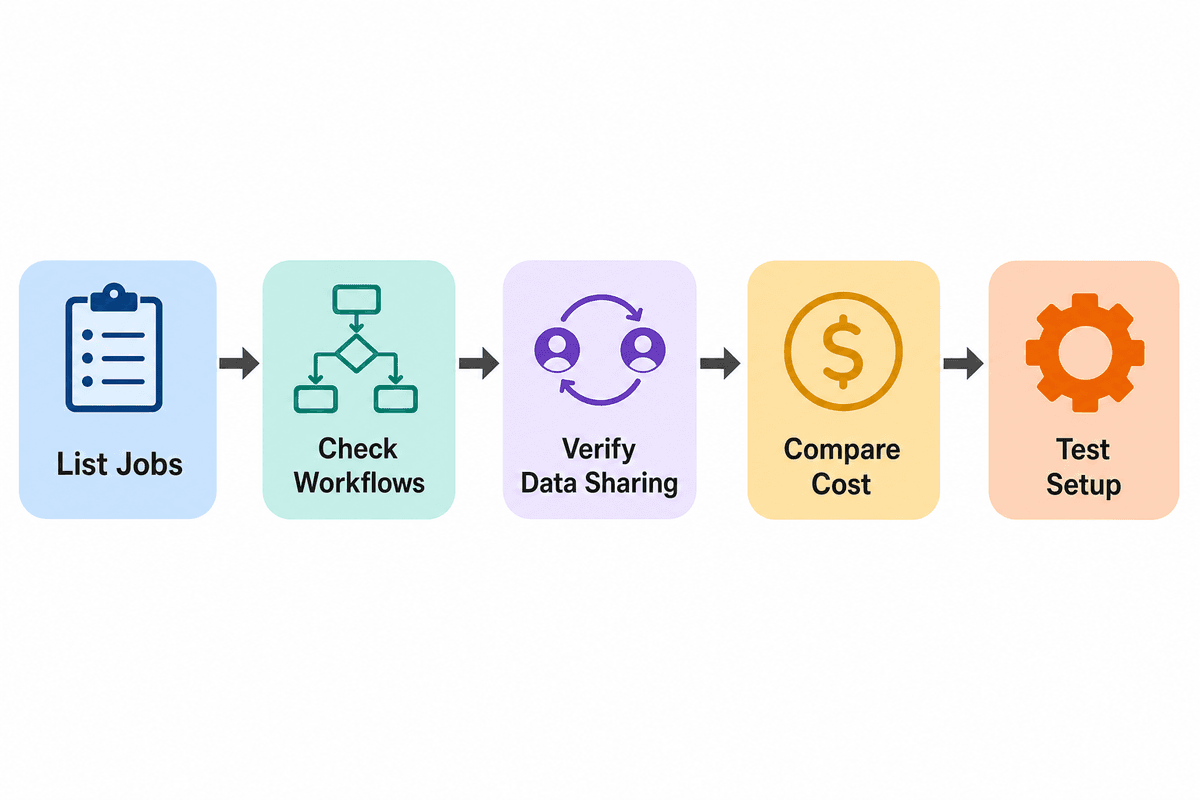
Once you know the jobs that matter most, use this checklist to evaluate platforms by workflow fit.
Content and SEO workflow
If content marketing matters to your business, do not settle for a platform that only gives you a text box and a publishing button. Look for a workflow that supports the full process from idea to optimization.
Useful questions to ask:
Can you research keywords and search demand inside the platform?
Does it analyze top-ranking pages before you create content?
Can it help build an outline or brief, not just generate generic copy?
Does it connect content performance back to rankings or traffic?
Can you plan publishing on a calendar rather than managing posts ad hoc?
If your team creates articles regularly, a platform should support structured execution, not just writing speed. That is one reason an internal process still matters. If you need a better content planning system, this guide on how to create an SEO content brief that writers can actually use is a strong companion resource.
We built our AI Content Creation workflow around keyword research, competitor analysis, outline generation, and drafting. Our features overview also covers the Content Planner, which helps organize the publishing workflow; treat scheduled publishing as a separate requirement when you compare platforms.
Technical SEO and rank visibility
Content alone is not enough if your site has technical problems or you cannot see whether rankings are improving.
Look for:
Automatic rank tracking
Historical trends, not just one-time snapshots
Competitor tracking where relevant
SERP feature visibility if organic search is important to you
Site auditing that catches broken links, duplicate tags, missing metadata, slow pages, and other technical issues
A good all-in-one platform should help you connect SEO execution to outcomes. If rankings improve, you should be able to see whether traffic follows. If a site audit finds issues, those fixes should support the same growth workflow rather than living in a separate silo.
ProjectHQ’s SEO & Rank Tracking and Site Audit pages show this connected model clearly: ranking data, technical audits, and content work are designed to inform each other.
Knowledge base and AI grounding
This is one of the easiest areas to overlook, especially if a vendor markets “AI” aggressively.
Ask a simple question: What is the AI actually grounded in? That question matters well beyond marketing copy. Google's guidance on creating helpful, reliable, people-first content stresses accuracy, originality, and clear sourcing, which is hard to maintain if an AI feature is not tied to a dependable source of business information.
If a platform offers AI chat, AI content, or AI recommendations, it should have a reliable source of truth behind them. Otherwise, you risk generic output, inconsistent answers, or content that does not reflect your business accurately.
Look for a platform that can pull from:
Your website pages
Product or service documentation
Policies and FAQs
Uploaded text or PDF resources
Synced content that stays updated over time
This is where a built-in knowledge base becomes strategically useful, not just operationally convenient. If you want a deeper look at why that matters, see how to build a website knowledge base that reduces support tickets.
Our Knowledge Base provides the source material our AI uses for content and live chat.
Visitor engagement and conversion tools
Many small businesses lose leads not because traffic is low, but because visitors hit friction and leave without getting an answer.
That makes on-site engagement important. As you evaluate platforms, check whether they help you do more than publish and measure. Can they help you convert?
Ask:
Is there a live chat tool or AI assistant for visitor questions?
Can the system respond using your real business information, not canned scripts?
Is there a human handoff when AI cannot solve the issue?
Can chat interactions turn into leads automatically?
Does the platform connect conversations to contact records?
ProjectHQ’s Live Chat & AI Assistant is a good example of this category done in a website-centered way: the chat widget answers from the knowledge base, supports human handoff, and feeds conversations into the broader system.
Analytics you can actually use
Every platform claims to provide insights, but small businesses usually need straightforward answers to straightforward questions:
Where is traffic coming from?
Which pages are working?
Which campaigns are driving visits?
What are visitors doing before they convert?
How does content performance connect to search visibility?
Look for analytics that are useful without requiring a separate reporting project. In my view, a clean dashboard, source tracking, campaign attribution, real-time visibility, and event tracking are often more valuable to a small team than enterprise-level complexity. It is also worth checking privacy and implementation details up front; for example, the UK's ICO guidance on analytics and cookies is a useful reminder that "easy to install" and "appropriate to your consent model" are not always the same thing.
Our Website Analytics focuses on that lightweight, integrated view, giving small teams a practical alternative to stitching together several reporting tools.
CRM and contact continuity
If your marketing platform generates leads but cannot help you organize and act on them, it is incomplete.
You do not necessarily need a huge enterprise CRM. You do need continuity.
Check whether the platform can:
Create or update contact records from site interactions
Store notes, activity history, and source data
Show page views or conversation history alongside contact details
Track lead status simply and clearly
Support follow-up without forcing another separate tool
ProjectHQ’s CRM & Contacts is relevant for this kind of workflow because it connects visitor activity, chat history, and contact management inside the same system.
Ease of setup and day-to-day usability
For a small business, usability is not a nice-to-have. It is part of ROI.
A platform can have the right features and still fail if it is too complex to implement or maintain. Ask:
How long does setup realistically take?
Does it require a developer for basic use?
Can a non-specialist understand the dashboard?
Are the workflows intuitive enough for a lean team?
Will the system save time weekly, not just theoretically?
In other words, judge the tool by daily operating reality, not by the prettiness of the demo.
Pricing clarity and total cost
Finally, compare total cost, not subscription headlines.
Some “all-in-one” tools look affordable until you add usage fees, seats, implementation costs, or the separate apps still needed to fill gaps. Others may cost more upfront but replace enough software to be more efficient overall.
Use a simple table like this when comparing vendors:
Category | Questions to ask |
|---|---|
Base subscription | What is the monthly or annual price? |
Seat or usage limits | Do costs rise with traffic, chats, contacts, or users? |
Replacement value | Which current tools could this platform actually replace? |
Setup cost | Will you need outside help to get running? |
Hidden gaps | What still requires another tool? |
If you’re evaluating ProjectHQ, review our pricing page alongside the feature pages. That makes it easier to judge the value of the connected workflow rather than comparing the price with a single-purpose tool.
Red flags that make an all-in-one platform less valuable than it looks
Feature lists can hide weak platform fit. Watch for these warning signs:
Bundled tools that do not really talk to each other
If content, analytics, chat, and contacts technically exist in one account but still require manual exports or duplicate setup, the platform may be more bundled than integrated.
AI claims without a trustworthy source of truth
If the vendor cannot clearly explain how its AI is grounded in your business information, treat the promise cautiously. Generic AI output is not the same as business-aware assistance.
Reporting that stops at vanity metrics
Pageviews alone are not enough. You need to understand source, behavior, and conversion paths well enough to make better decisions.
Depth that disappears in your most important area
Some suites are broad but shallow. If SEO is mission-critical, weak auditing or rank tracking matters. If support and lead capture are central, weak chat or CRM continuity matters. Judge depth where your business depends on it most.
Complicated implementation for simple tasks
Small-business software should reduce friction, not introduce a long setup project for basic functionality.
Where ProjectHQ fits this category
We built ProjectHQ around a connected website-growth workflow: content, SEO, analytics, live chat, a knowledge base, and CRM in one dashboard.
Our strongest fit is with businesses that want to grow traffic, convert visitors, and manage website-driven interactions in one system. Teams centered on advanced outbound sales automation, email operations, or standalone funnel building will usually need different tools.
What we connect
Content and SEO: AI-assisted content creation, planning, rank tracking, and site auditing work as one flow.
AI grounding: The knowledge base supplies business information to our AI-driven features.
Visitor conversion: Live chat answers from that knowledge base and supports human handoff.
Measurement: Analytics connects traffic and on-site behavior with website performance.
Follow-up: CRM records keep contact activity and conversations in one place.
You can explore the full system on our features overview page.
Who should look closely at us
We’re a strong fit for small businesses that rely on their website to attract visitors, publish content, answer questions, and capture leads. That includes many service businesses, SaaS companies, agencies, creators, and ecommerce brands, depending on how central those workflows are to the business.
If your current pain is “We have too many disconnected tools for traffic, content, chat, and lead management,” ProjectHQ belongs on your shortlist.
Who ProjectHQ may not fit
We won’t be the best match for every small business. If your main requirement is a sales-heavy CRM, advanced email marketing at the center of your stack, or standalone funnel building with little emphasis on SEO, knowledge content, or website analytics, another platform will fit better.
You may also need only a single-purpose tool. If you don’t publish content, rely on organic search, use on-site chat, or need integrated visitor analytics, ProjectHQ is probably more system than you need.
A simple scoring method for choosing the right platform
After demos and feature comparisons, use a weighted score instead of relying on gut feeling alone.
Step 1: Pick your criteria
Use criteria such as:
Workflow fit
Ease of use
Quality of SEO tools
Quality of analytics
Lead capture and CRM continuity
AI grounded in real business knowledge
Setup time
Total cost
Step 2: Weight them by importance
Give each category a weight from 1 to 5 based on how important it is to your business.
Step 3: Score each platform
Rate each vendor from 1 to 5 for every category, then multiply by the weight. This keeps a flashy but irrelevant feature from dominating the decision.
Step 4: Run a real-world test
Before you buy, test one meaningful workflow end to end. For example:
Create or plan one content piece
Track one target keyword
Install analytics
Deploy chat on one page
Capture one lead into the CRM
If that five-step test feels smooth, you probably have a real platform fit. If it feels fragmented inside the “all-in-one” product, keep looking. A simple way to make this less subjective is to score the test immediately after each task: for example, a service business might weight workflow fit at 5, ease of use at 4, analytics at 3, and CRM continuity at 4, then compare two shortlisted tools side by side using the same weights and notes from the live trial.
Final takeaway
The best all in one marketing platform for small business is not the one with the longest feature list. It is the one that reduces friction across the work your team actually does every week.
For many small businesses, that means looking beyond isolated tools and evaluating how well a platform connects content, SEO, visitor engagement, analytics, knowledge, and lead management. If those pieces work together, you get more than convenience. You get a system that helps you move faster and make better decisions.
If that’s the kind of workflow you want, put us on your shortlist and test ProjectHQ against the tasks your team handles every week.
Grzegorz is the founder of ProjectHQ and has spent 15+ years in SEO — from technical audits to content strategy that ranks. He builds the product he writes about, so the playbooks here come from running real campaigns, not theory.
Ready to grow traffic?
Write SEO-optimized articles and track your rankings with ProjectHQ.
Get started