How to Create FAQ Pages That Rank in Search and Reduce Support Tickets
 Grzegorz Graczyk8 min read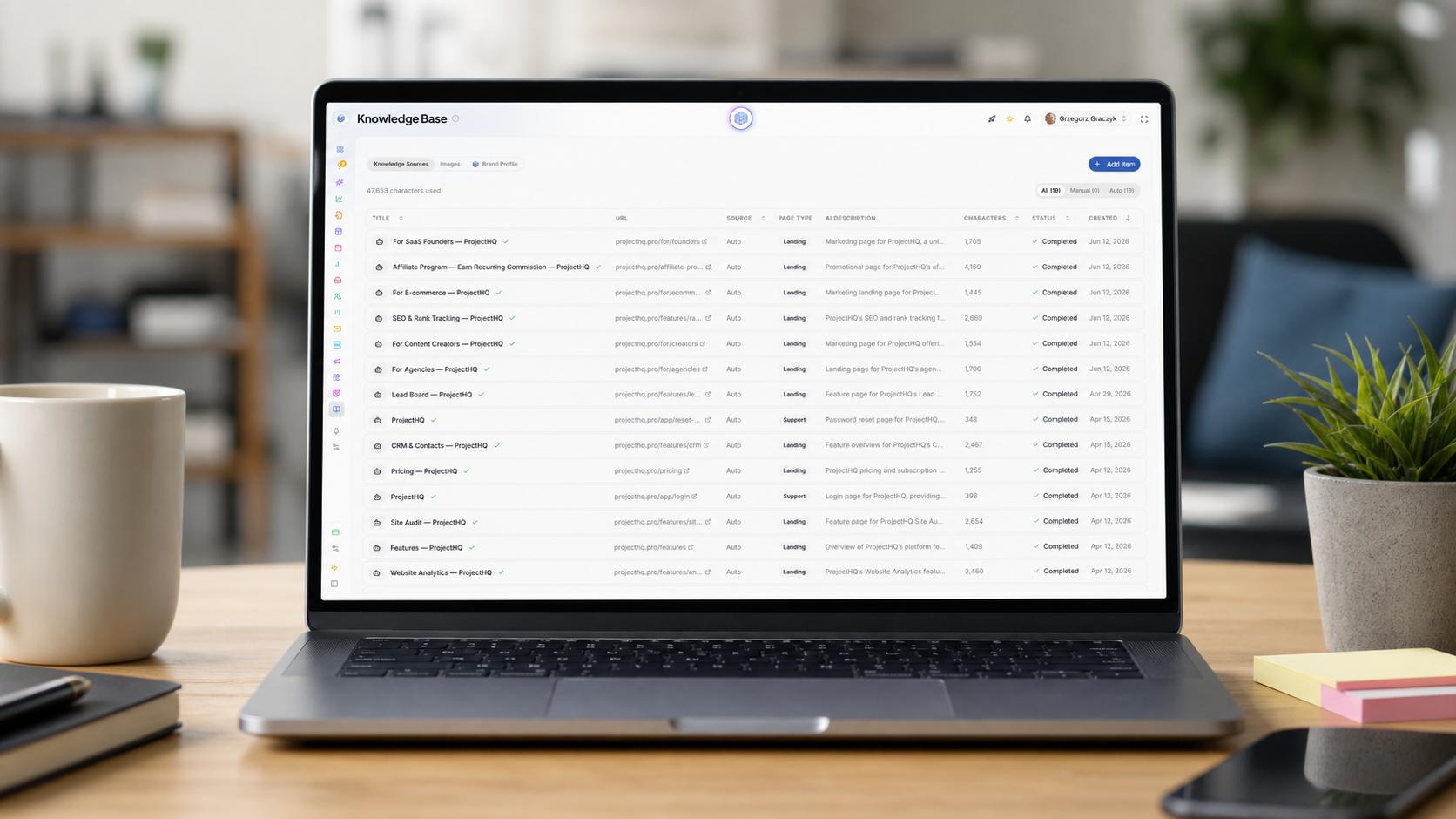
A good FAQ page earns its place twice. It brings qualified visitors to a useful answer, then prevents customers with the same question from joining the support queue.
That outcome depends far more on question selection and answer quality than on adding an accordion or a block of schema. The strongest FAQ pages are built from observed customer friction, organized around distinct intents, and connected to the systems your support team already uses.
One FAQ page has two jobs
Search visitors and existing customers often ask the same question from different starting points. A prospect might search for your cancellation policy before subscribing. A customer may look for that policy before opening a ticket. One clear, indexable answer can serve both.
Keep the format narrow. An FAQ works well when the answer is short, stable, and broadly applicable. Questions that require prerequisites, screenshots, several steps, or diagnosis deserve dedicated help articles. The FAQ should answer the immediate question and point to the deeper resource.
If your support material already extends beyond concise answers, use our guide to building a website knowledge base that reduces support tickets to design the larger system. The FAQ can then act as a fast entry point rather than an overloaded help center.
Build the question backlog from evidence
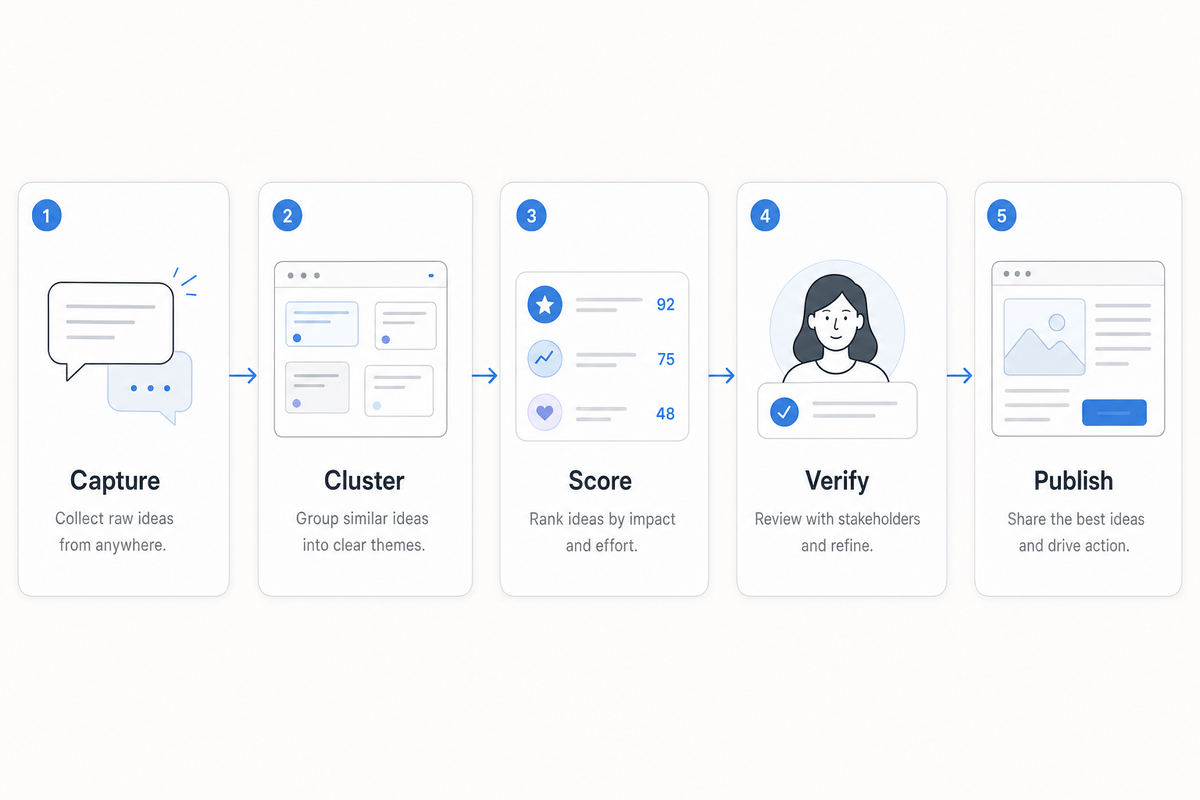
Start with questions people have actually asked. Pull them first from support tickets and live chat, where you can see both the wording and the follow-up; then check on-site search and Google Search Console for discoverability gaps. Save the original wording, the page or product area involved, and what happened after the first answer. This evidence-led approach aligns with Gorgias’s FAQ guidance, which recommends mining customer data rather than choosing questions from an internal brainstorm.
That context matters. “Can I export invoices?” could be a quick capability question, a plan-limit objection, or the opening to a complex accounting workflow. The appropriate page and answer depend on the need behind those words.
Cluster without erasing customer language
Normalize close variants into issue clusters so you can count demand accurately. “Can I cancel whenever?” and “Do I have to sign an annual contract?” may belong to one subscription-terms cluster. Preserve both original phrases for headings, supporting copy, and search research.
Count unique conversations or customers, not messages. One frustrated person sending six follow-ups signals serious friction, but it doesn’t equal six independent requests. Our workflow for finding visitor questions for a knowledge base explains how to preserve this evidence in a usable editorial backlog.
Score the questions with business judgment
Use four criteria to order the backlog:
Frequency: How many unique people raised the issue during a consistent review period?
Friction: Did the question cause follow-ups, a failed task, or escalation?
Business effect: Does uncertainty block purchase, activation, or retention?
Coverage gap: Is the current answer clear, buried, incomplete, or absent?
Frequency shouldn’t control the queue by itself. A moderately common implementation question that blocks qualified buyers can deserve attention before a popular but harmless curiosity.
Search demand is another input. In Search Console, review the queries already producing impressions for your site and compare them with the customer wording. Chat transcripts add the decision context keyword data lacks; our guide to using AI chat transcripts for SEO content provides a structured method for doing that safely.
Before drafting, confirm that the answer is accurate, stable enough to publish, and approved by its owner. Billing, security, legal, and product-limit answers shouldn’t be inferred from a customer’s question or an old agent response.
Choose a page structure that matches intent
A single company-wide FAQ is reasonable when you have a modest set of general questions. As the collection grows, a giant page becomes harder to scan and gives unrelated search intents one vague destination.
Three useful destinations
A focused FAQ hub for closely related general questions, such as billing and subscriptions.
A contextual FAQ section on the product, pricing, checkout, or onboarding page where uncertainty occurs.
A dedicated help URL for a repeatable task, troubleshooting path, or substantial search intent.
Assign one primary destination to each intent. A pricing page can contain the concise answer to “Can I change plans?” and link to a billing guide with conditions and steps. You don’t need several thin pages repeating the same response.
Use descriptive category headings and question-style subheadings. Make the FAQ reachable from relevant product pages, site navigation, and deeper help articles. Accordions can make a long section easier to scan, provided visitors can still identify and open the right question without guesswork.
Write answers for resolution and search
Put the answer in the first sentence. Customers arriving with a problem shouldn’t have to read a brand introduction before learning whether a policy or instruction applies to them.
A compact answer pattern
Most effective FAQ responses contain four parts:
A direct answer.
The condition or exception most likely to change that answer.
The next step the reader should take.
A link to detailed instructions when the task needs more depth.
Consider a hypothetical plan-change FAQ. “We offer flexible options for every business” leaves the practical question unresolved. A useful answer says: “Yes. You can change plans from the Billing area. Upgrades apply immediately, while downgrades begin at the next renewal. See the billing guide for prorating and account-owner requirements.” The exact policy will differ, but the structure closes the obvious follow-ups.
Search language belongs in the heading
Write the question the way a customer would ask it: “How long does shipping take?” is clearer than “Delivery service expectations.” Use the natural phrase in the heading, answer it fully, and stop. Repeating keyword variations makes the page slower to read without adding expertise.
Google’s people-first content guidance emphasizes complete, trustworthy answers created for an existing audience. For an FAQ, trust comes from precise conditions, current policy details, clear ownership, and links to authoritative supporting pages.
What FAQ schema can and cannot do
Schema.org still defines FAQPage as a web page containing one or more frequently asked questions. You may use that vocabulary when your publishing stack or other systems consume it.
The Google benefit has changed. FAQ rich results stopped appearing on May 7, 2026; Google logged the deprecation notice on May 8 and removed the supporting documentation on June 15, according to its Search documentation updates. FAQ markup should no longer be presented as a way to earn a Google FAQ rich result or improve rankings. Maintenance: Last reviewed June 15, 2026. Owner: SEO lead, who should recheck Google Search documentation during each quarterly content review.
If you retain FAQPage markup, treat it as machine-readable description. Keep every marked-up question and answer consistent with the visible page. Schema doesn’t compensate for thin answers, duplicate pages, weak internal linking, or a confusing layout.
The technical checklist that still matters
Give the page a descriptive title and one clear primary topic.
Use a logical heading hierarchy for categories and questions.
Keep the useful answers visible and accessible to visitors.
Link the page from relevant navigation and contextual pages.
Confirm that the URL is indexable and uses the intended canonical.
Test the page on mobile and check links after publication.
These fundamentals help search engines discover and understand the page while making it easier for customers to resolve their issue.
Connect the page to the support workflow
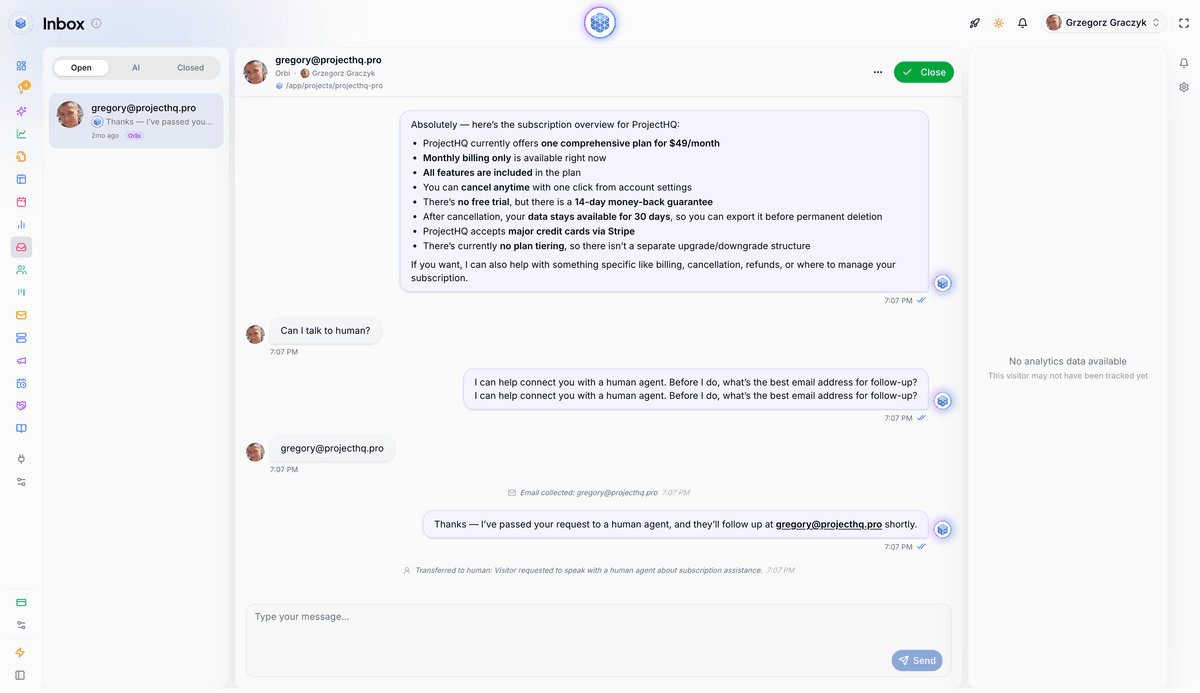
Publishing is only one distribution step. The approved answer should also be available to support agents and any automated assistant that handles customer questions. Otherwise, customers may receive one policy from the FAQ and another in chat.
With our ProjectHQ Knowledge Base, you can add an approved FAQ URL, paste maintained text, or upload a PDF source. We process those sources for use across our AI features. Our AI assistant searches the knowledge base when answering visitor questions, uses the page being viewed as context, handles follow-ups, and allows a person to take over when needed.
This setup also produces editorial evidence. If visitors repeatedly ask the same follow-up after receiving an FAQ answer, review the source. The answer may be missing a condition, using internal terminology, or compressing a procedure that needs its own guide. Update the authoritative page first so future self-service and assisted conversations use the improved information.
Measure search value and support deflection separately
Search visibility and support reduction are related outcomes, but they require different evidence. A page can rank for a buyer question without reducing existing-customer tickets. A narrow account FAQ may save substantial agent time while attracting little organic traffic.
Objective | Metric | What it helps diagnose |
|---|---|---|
Search discovery | Impressions and relevant queries | Whether Google surfaces the page for the intended questions |
Search visits | Clicks and CTR | Whether the result earns attention when it appears |
Ranking progress | Average position by query and page | Whether visibility changes over a consistent period |
Support demand | Tickets per issue cluster | Whether the targeted question reaches agents less often |
Answer quality | Repeat contacts and escalations | Whether the answer resolves the issue or creates another exchange |
Self-service path | FAQ viewers who later contact support about that issue | Where customers still fail to resolve the task |
Google Search Console reports clicks, impressions, CTR, and average position across queries and pages. Compare equivalent periods and annotate meaningful changes such as a product launch, outage, policy update, or seasonal spike.
Be conservative with ticket deflection. An FAQ view isn’t automatically a prevented ticket because many readers never intended to contact support. Compare ticket volume for the targeted issue before and after publication, ideally relative to active customers, orders, or another relevant demand measure. Then inspect repeat-contact and escalation patterns for evidence that the answer worked.
Review high-value questions monthly. Run a deeper quarterly review for stale policies, overlapping URLs, broken links, and declining search performance. Our SEO content audit checklist provides a decision framework for keeping, updating, consolidating, redirecting, or removing pages.
A practical first release
Choose one issue family that consumes avoidable support time, such as billing changes, order status, or account access. Publish a small set of verified questions, connect each complex answer to a deeper resource, and surface the FAQ where that friction occurs. Record baseline search and ticket metrics before launch.
Then use real queries, conversations, and unresolved follow-ups to improve that focused set. Expand only when the next question cluster has a clear audience, a verified answer, and an appropriate home. That process gives the FAQ a measurable job in both acquisition and support instead of turning it into another page nobody owns.
Grzegorz is the founder of ProjectHQ and has spent 15+ years in SEO — from technical audits to content strategy that ranks. He builds the product he writes about, so the playbooks here come from running real campaigns, not theory.
Ready to grow traffic?
Write SEO-optimized articles and track your rankings with ProjectHQ.
Get started