Content Audit for SEO: A Checklist for Updating, Consolidating, and Pruning Pages
 Grzegorz Graczyk15 min read
A content audit sounds straightforward until you have to decide what to do with each page. Most teams can export URLs, pull rankings, and spot a few obvious losers. The hard part is turning that data into consistent decisions: which pages deserve an update, which should be merged, which should redirect, and which should be removed altogether.
That is where a good content audit for SEO checklist earns its keep. It should not just help you describe performance. It should help you choose the next action with enough clarity that your team can actually implement it.
This guide focuses on that decision layer. Instead of offering vague advice like “refresh old content” or “delete thin pages,” it walks through the signals that matter and shows how to weigh them together. Because one weak metric rarely tells the whole story, the goal is not to punish underperforming pages. It is to preserve value, reduce duplication, and strengthen the pages that should keep earning organic visibility.
Why most content audits stall
Many audits break down for the same reason: the team gathers plenty of information but never defines a decision framework. A spreadsheet fills up with clicks, impressions, backlinks, dates, and notes, but nobody agrees on what counts as “worth updating” versus “safe to prune.”
That gap matters because content auditing is not just an analysis exercise. It is an editorial and SEO operations exercise. A useful audit has to answer one practical question for every URL: keep, update, consolidate, redirect, or delete?
Strong audit processes from tools like Ahrefs and Semrush both emphasize collecting robust page-level data before making changes. That is the right starting point. But the data only becomes useful when it feeds a repeatable judgment model.
The better approach is to audit pages as assets with different kinds of value:
Search value: rankings, impressions, clicks, CTR, and keyword coverage
Business value: conversions, assisted conversions, product relevance, or lead generation
Authority value: backlinks and internal link importance
User value: support, education, trust, or self-service usefulness
Operational value: whether the page is maintainable, accurate, and still aligned with your current site strategy
Once you judge pages across those dimensions, the actions become much easier to defend.
A quick note on tools and examples
Because this article is published by ProjectHQ, the product examples below use ProjectHQ where its features are relevant. They are examples, not prerequisites. You can run the same audit process with other tools in the same categories too, such as a crawler, rank tracker, analytics platform, and editorial workflow system.
What to collect before you make any page decision
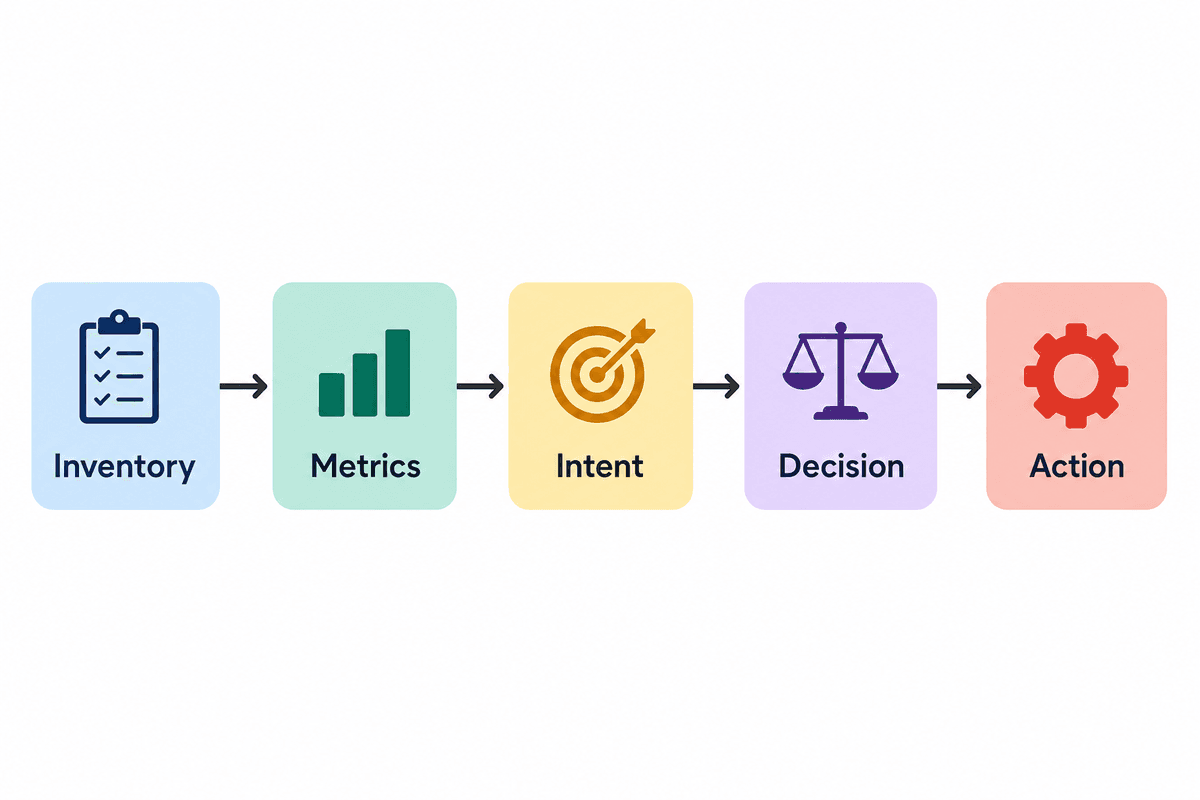
You do not need perfect data to run an audit, but you do need enough context to avoid bad calls. A page should never be deleted just because it looks weak in one report.
Start with a clean inventory
Build a list of the pages in scope first. For some teams that means the whole site. For others it means only the blog, help center, templates library, or resource hub. Scope matters because different page types have different jobs.
Technical crawlers are useful here because they help surface indexable pages, duplicate elements, redirect chains, orphan pages, and other structural issues that affect how you judge content. ProjectHQ’s Site Audit, for example, crawls pages, flags issues like duplicate titles, missing meta descriptions, broken links, and orphan pages, and groups findings by errors, warnings, and notices. That is not a substitute for editorial judgment, but it is a strong input into it.
Pull page-level metrics from more than one source
For each page, collect at least these inputs:
Search Console-style performance data: clicks, impressions, CTR, average position
Analytics data: page visits, sources, engagement, and conversion events where available
Keyword tracking data: target keyword positions and trend direction over time
Backlink data: referring domains or evidence that external links point to the page
Technical condition: indexability, canonical status, load issues, broken links, duplicate tags
Freshness: published date, last meaningful update, and whether information is now outdated
ProjectHQ’s SEO & Rank Tracking can help with the ranking side, while Website Analytics can show traffic sources, page activity, and conversion events. Used together, those sources help answer a crucial audit question: is a page failing because nobody wants it, or because it has not been properly improved, surfaced, or maintained?
Segment by page type before scoring anything
Do not judge all URLs by blog traffic standards. A product page, comparison page, support article, and legal page each exist for different reasons.
At minimum, tag pages by type:
Blog or editorial
Product or feature
Knowledge base or help content
Landing page or campaign page
Utility, legal, or account pages
This matters because a knowledge base article may have modest organic traffic but still reduce support burden. If you work with support or help content, the thinking in How to Build a Website Knowledge Base That Reduces Support Tickets is relevant here: self-service pages should be judged partly on usefulness and deflection, not only on top-of-funnel traffic.
The decision-based content audit for SEO checklist
Here is the core checklist. Run each page through these questions in order. The sequence matters because it keeps you from deleting useful pages too early or over-investing in pages that should be merged.
Question 1: Does the page still serve a real purpose?
Before you look at rankings, ask whether the page still has a valid job. A page may deserve to stay because it:
Supports an active product, service, or category
Answers a recurring customer question
Captures a search intent you still want to own
Contributes to conversions directly or indirectly
Exists for compliance, trust, or account management reasons
If the answer is no, the page moves closer to deletion or consolidation. If the answer is yes, keep evaluating.
Question 2: Is the page technically healthy enough to judge fairly?
A page with broken internal links, duplicate metadata, slow load times, or indexing problems may underperform for technical reasons rather than content reasons. Check whether the page is:
Indexable and canonicalized correctly
Free of obvious crawl or redirect issues
Using unique title tags and meta descriptions
Accessible through internal links
Not accidentally orphaned or buried
If a technical problem is suppressing performance, fix that first. Do not prune a page because the site architecture or page health handicapped it.
Question 3: Does the page show any organic demand signal?
Look for signs that Google or users still see relevance:
Impressions even if clicks are low
Rankings on page two or the bottom of page one
Historical traffic that has slipped over time
Long-tail keyword visibility
Clicks from non-branded queries
Impressions matter because they can indicate that a page is already being surfaced for relevant queries, even if it is not earning many clicks yet. That is broadly consistent with how Semrush frames content audits: pages with visibility but weak performance may be better update candidates than pages with no demand signal at all. A page with essentially no impressions, no clicks, and no strategic purpose is a very different case.
Question 4: Is the page unique, or is it overlapping with another page?
This is the consolidation question. Compare the page against related URLs and ask:
Does another page target the same intent better?
Do multiple posts cover the same topic with slightly different angles but no real differentiation?
Are rankings or impressions split across overlapping URLs?
Would users be better served by one stronger page than two weaker ones?
When overlap is high, merging is often better than updating both pages independently. That aligns with the practical approach in Ahrefs’ content audit process, which emphasizes diagnosing what is holding content back and then improving or consolidating rather than letting overlapping pages drift.
Question 5: Is there link equity or business value worth preserving?
Even a weak page may have external links, internal importance, or assisted conversion value. Before deleting or redirecting, check whether the page:
Has earned backlinks
Sits in important internal navigation paths
Assists conversions even if it is not the last-touch page
Supports support, onboarding, or customer education
Pages with preserved value usually merit updating, merging into a stronger URL, or redirecting carefully rather than being dropped. In practice, that is also why many audit workflows review backlinks before pruning; once a URL has earned links, preserving that value is usually safer than removing it outright.
Question 6: Which of the five actions fits best?
At this point, each page should land in one of these buckets:
Keep: the page is healthy, relevant, and doing its job
Update: the page has value signals but needs improvement
Consolidate: the page overlaps another and should be merged
Redirect: the page should retire, but its value should pass to a better URL
Delete: the page has no strategic role and no meaningful value to preserve
The rest of this article explains how to choose among those actions.
When to update a page
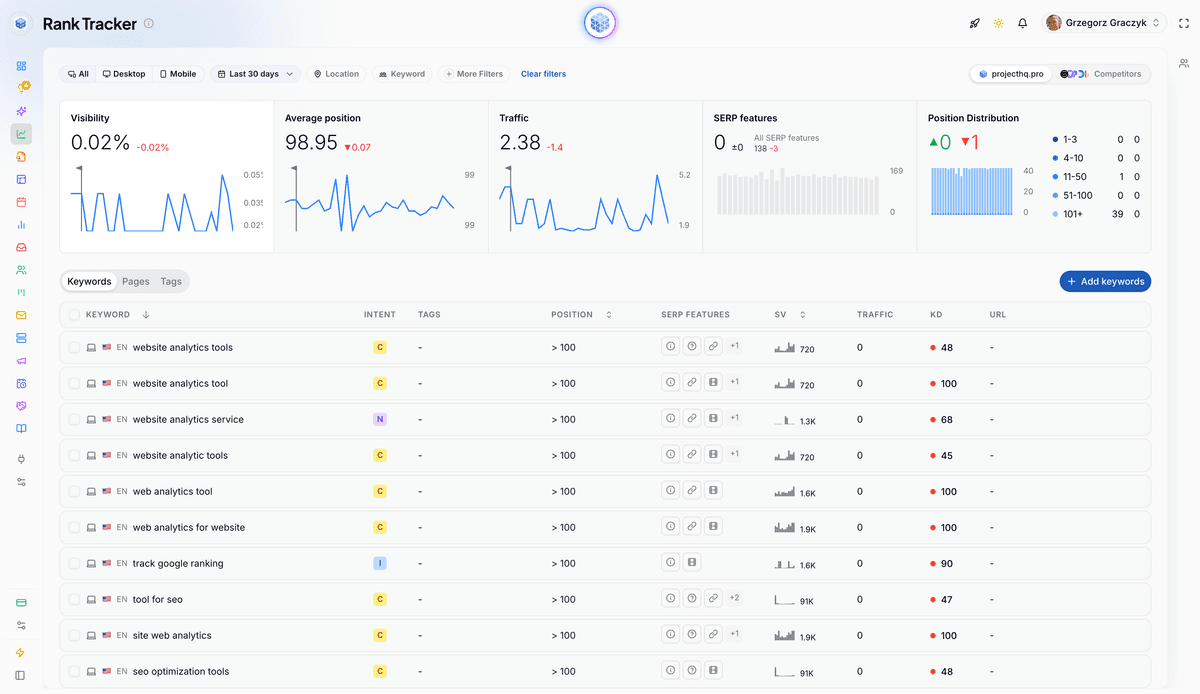
Updating is usually the right call when a page already shows signs of relevance but is underperforming relative to its potential.
Signals that a page should be refreshed
It gets impressions but too few clicks
It ranks in positions where improvement is realistic, such as page two or low page one
It used to perform better and has declined
It has backlinks or internal authority
It targets a topic still important to your business
It is outdated, incomplete, or misaligned with current search intent
These are pages you should generally improve before you consider replacing them. Rank tracking is especially useful here because trend lines tell you whether a page is slipping, stabilizing, or recovering. That is the kind of signal a dashboard such as SEO & Rank Tracking is built to surface.
What to fix during an update
An update is not just “change the publish date.” It should address the actual weakness. Common fixes include:
Reworking the title tag and meta description to improve CTR
Refreshing outdated examples, screenshots, stats, or process steps
Improving intent match so the page answers the searcher’s real question faster
Expanding thin sections or removing fluff
Adding internal links from stronger related pages
Fixing on-page structure such as headings, missing H1s, or poor scannability
Adding clearer calls to action where relevant
If the page is being substantially rewritten, a proper brief helps. The article How to Create an SEO Content Brief That Writers Can Actually Use is a good internal companion because refreshes fail when teams jump straight into drafting without restating intent, SERP expectations, and the page’s job.
When a rewrite is big enough to need workflow support
If you are updating at scale, the operational problem becomes real: deciding which pages to tackle first, then getting consistent rewrites out the door. This is where a platform connection can help. ProjectHQ’s AI Content Creation is relevant not because it “does content audits,” but because once you have chosen the update action, it can support the rewrite workflow with competitor analysis, outline generation, and drafting in one place.
When to consolidate pages
Consolidation is the right move when the problem is not weak content alone, but split content. Instead of one authoritative page, you have multiple URLs competing for the same intent.
Common signs of overlap
Two or more pages answer nearly the same question
They target the same primary keyword or very close variants
Neither page is dominant, and rankings fluctuate between them
External links are spread across multiple weaker URLs
The older page is partially outdated, but still contains useful sections
This is where audit work becomes less about pruning and more about consolidation strategy.
How to choose the surviving URL
Pick the primary page based on the combined picture, not vanity preference. The best survivor usually has the strongest mix of:
Current rankings and impressions
Backlinks or historical authority
Conversion value
Better URL structure or topical fit
Closer alignment with the dominant search intent
Once you pick the survivor, merge the best material from the weaker page into it, improve the final article, and redirect the retired URL.
When consolidation beats updating both pages
If two pages are only different because one was written earlier, one targets a synonym, or one takes a barely distinct angle, maintaining both often creates unnecessary editorial overhead. One stronger page is usually easier to rank and easier to keep current.
Example: imagine a blog has both /seo-audit-checklist and /content-audit-checklist, and both posts now answer nearly the same user question. If the rankings, impressions, and backlinks are split between them, the cleaner move is often to choose the stronger URL, fold the useful sections from the weaker piece into it, and redirect the retired version. Even without a guaranteed traffic jump, this kind of merge usually leaves the team with one page that is easier to improve, link to internally, and keep current.
This also helps clean up content plans going forward. If your team regularly publishes overlapping topics, a planning layer matters. ProjectHQ’s Content Planner, for example, lets you set a publishing cadence and steers topics using your knowledge base and SEO data, which can help reduce future duplication after the audit is done.
When to redirect or delete a page
These are the highest-risk decisions because they are the easiest to get wrong. The distinction is simple: redirect when value should transfer; delete when nothing meaningful needs to be preserved.
When to redirect
Use a redirect when the page is no longer needed as a standalone URL, but there is a better destination that satisfies the same or very similar intent. Good examples include:
An outdated post replaced by a newer, more complete version
A thin comparison page folded into a stronger comparison hub
A retired campaign page with a relevant successor
A merged article whose content now lives in the surviving page
Redirects are especially important when backlinks or internal references point to the old page.
When deletion is appropriate
Deletion becomes reasonable when all of the following are true:
The page no longer supports a business or user need
It has no meaningful organic traffic or impression trend
It has no backlinks or other authority worth preserving
There is no close replacement page
Keeping it would add maintenance burden or clutter the site
That is a narrow set of conditions, and it should be. Over-pruning can remove useful long-tail assets or trust-building pages just because they are quiet.
Pages that should not be judged like SEO assets
Some pages are not supposed to rank. Legal pages, login pages, account utilities, certain onboarding assets, and niche support content may still matter. If a page exists for user function or compliance, traffic alone is the wrong yardstick.
Signals that should change your decision
Not every page fits neatly into a single bucket. These are the signals most likely to change the obvious-looking call.
Backlinks may justify preservation
If a page has earned links from external sites, deleting it outright can waste authority. Even if the content is weak, the better move may be to improve it, merge it into a stronger page, or redirect it carefully. That is why backlink review is a standard part of most audit processes, including the considerations covered in Ahrefs’ guide.
Conversions may outweigh traffic weakness
A page with modest visits may still influence signups, demos, or downstream revenue. Analytics should help reveal that. ProjectHQ’s Website Analytics is relevant here because it tracks sources, visits, and custom events, helping you look beyond raw search clicks.
Technical problems can make a page look worse than it is
If a page has missing meta descriptions, broken links, duplicate titles, or slow performance, fix those issues before concluding that the topic itself failed. A platform like Site Audit is useful because it classifies issues and surfaces them in a crawl rather than leaving them buried in an export.
Knowledge base content should be scored differently
Help center and documentation pages often support SEO, but that is not their only role. They can reduce friction, support self-service, and answer questions visitors ask before or after converting. If that is part of your content mix, judge those pages with support value in mind. ProjectHQ’s Knowledge Base is relevant in this context because the feature is described as the single source of truth that powers ProjectHQ’s AI features, with pages and docs added automatically from connected sources.
A simple update example
Example: a support article such as /help/how-to-export-reports may never be a top traffic driver, but if it still gets impressions, answers a real customer task, and triggers useful engagement events, an update usually makes more sense than pruning. In that case, the signals point toward refreshing screenshots, clarifying the steps, and improving internal links rather than deleting a page that still does a job.
A simple scoring model for teams that need consistency
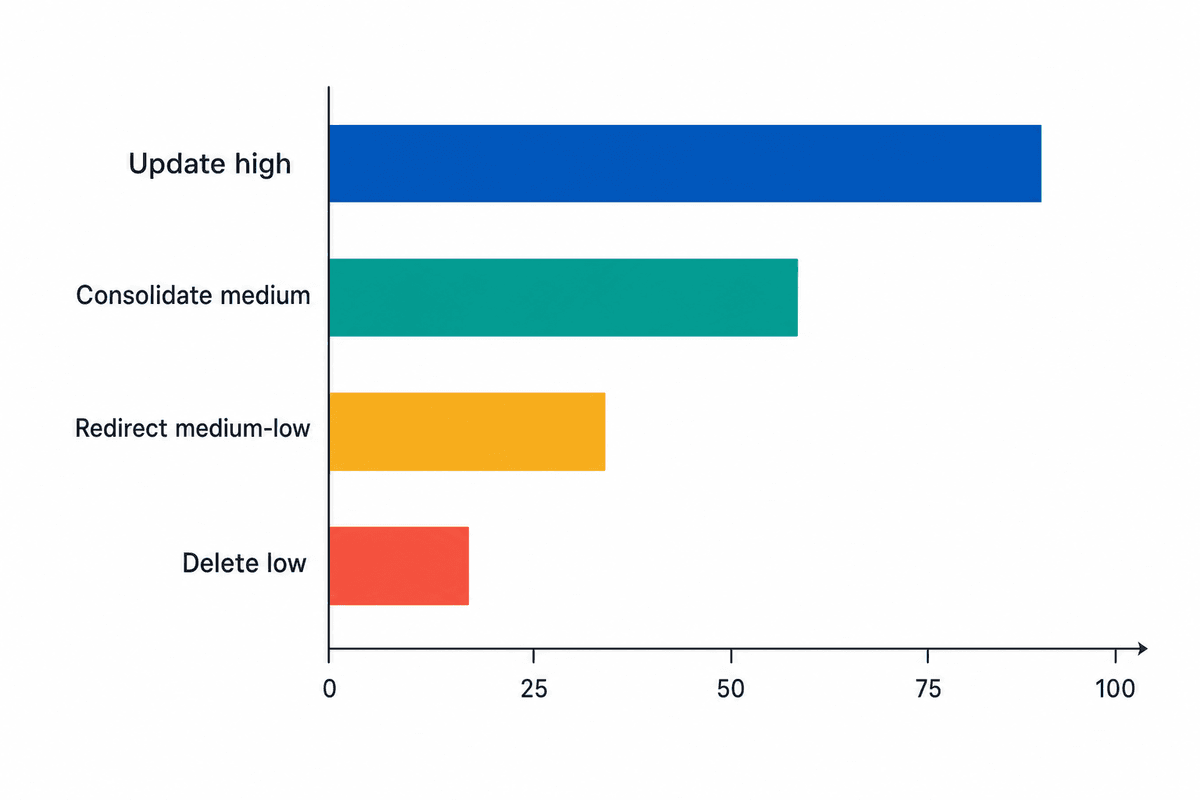
If multiple people will run the audit, use a lightweight scoring model. The goal is not mathematical perfection. The goal is consistent judgment.
Score each page from 0 to 2 on the six categories below:
Category | 0 | 1 | 2 |
|---|---|---|---|
Organic visibility | No meaningful impressions or clicks | Some impressions or unstable rankings | Clear ranking or click potential |
Business value | No known value | Indirect or occasional value | Clear conversion or strategic value |
Uniqueness | Heavily overlaps another page | Some overlap | Distinct topic or intent |
Link equity | No meaningful links | Some internal or external value | Strong link or authority signals |
Freshness | Outdated and neglected | Partially outdated | Current or easy to refresh |
Strategic fit | No longer aligned | Adjacent relevance | Still important to current strategy |
Then map the total score to a default action:
10–12: keep or update
7–9: update or consolidate depending on overlap
4–6: consolidate or redirect after review
0–3: review for deletion
This is only a starting model. A page with a low total but strong backlinks might still deserve a redirect instead of deletion. A knowledge base page with weak search signals but strong support value might still be a keep. The score helps start the conversation; it should not end it.
How to run the audit without turning it into a one-time spreadsheet
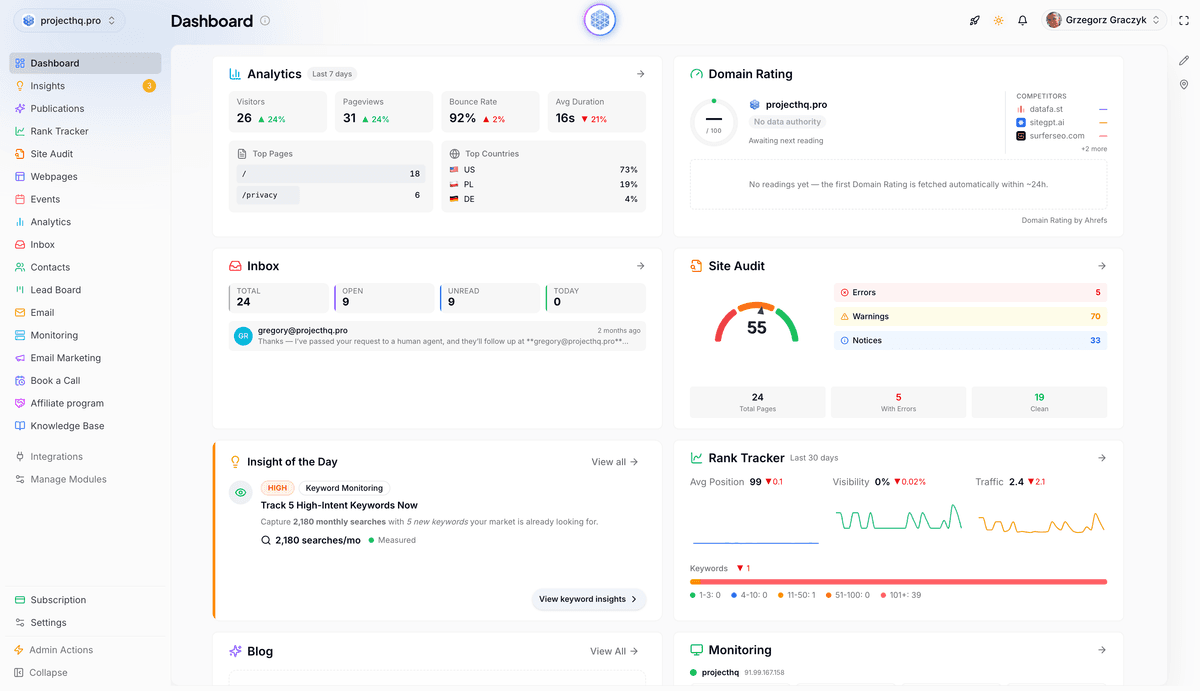
The biggest audit mistake is treating it as a cleanup project with no operational follow-through. The work only matters if the decisions turn into changes on the site.
Assign owners and deadlines to every action
For each page or URL group, record:
The chosen action
The reason for the decision
The owner
The deadline
The date to recheck performance
This prevents the audit from becoming a graveyard of “good ideas.”
Separate diagnosis from execution, but connect them tightly
Audits tend to involve multiple jobs: technical review, SEO analysis, editorial revision, internal linking, redirects, and publishing. The handoff points create friction unless the workflow is connected.
This is where ProjectHQ genuinely fits the topic. Its feature set spans site audits, rank tracking, analytics, AI content creation, and content planning. That means it can support the workflow around a content audit even though the audit decision itself still depends on your editorial judgment.
Build an ongoing review cadence
A practical cadence might be:
Monthly review for high-value content clusters
Quarterly review for the broader blog or resource library
Immediate review after major product, market, or SERP shifts
The point is to keep auditing light and continuous rather than waiting for a massive annual cleanup.
Final checklist: what to decide for every page
Use this condensed checklist when you need a fast page-by-page decision:
Purpose: Does the page still serve a real business, user, or SEO purpose?
Technical health: Is it indexable and free from major technical issues that distort performance?
Demand signals: Does it show impressions, rankings, historical traffic, or long-tail relevance?
Value signals: Does it drive conversions, assist revenue, reduce support burden, or earn links?
Overlap: Is another page covering the same intent better?
Best action: Keep, update, consolidate, redirect, or delete?
Owner: Who will execute the decision, and when will results be reviewed?
If you remember one principle from this content audit for SEO checklist, let it be this: do not delete pages just because they look weak in isolation. Preserve value where it exists, merge duplication where it hurts, refresh pages that still have a path to performance, and remove only what no longer serves the site or the user. That is how an audit improves SEO without turning into accidental self-sabotage.
Grzegorz is the founder of ProjectHQ and has spent 15+ years in SEO — from technical audits to content strategy that ranks. He builds the product he writes about, so the playbooks here come from running real campaigns, not theory.
Ready to grow traffic?
Write SEO-optimized articles and track your rankings with ProjectHQ.
Get started