Best AI Chatbot for Lead Generation: What Small Teams Should Look For
 Grzegorz Graczyk9 min read
A chatbot earns its place when a promising website conversation becomes a contact your team can act on. If the transcript disappears into a separate inbox, qualification feels like an interrogation, or nobody can tell which chats became customers, the AI has added activity without improving the pipeline.
That makes the buying decision surprisingly focused. Small teams should compare how each product handles qualification, identity capture, context, human handoff, and conversion measurement. General chat features still matter, but they belong in a broader evaluation of AI live chat for small-business websites. Here, the test is stricter: can the system move an interested visitor toward a useful sales outcome?
The best choice follows the lead, not the chat
The best AI chatbot for lead generation is the one that fits the system your team already uses to manage opportunities. A HubSpot-centered business has different requirements from a founder running website analytics, chat, and contacts in one lightweight platform. A sales organization with established routing rules needs more depth than a two-person agency that simply wants qualified inquiries to stop getting lost.
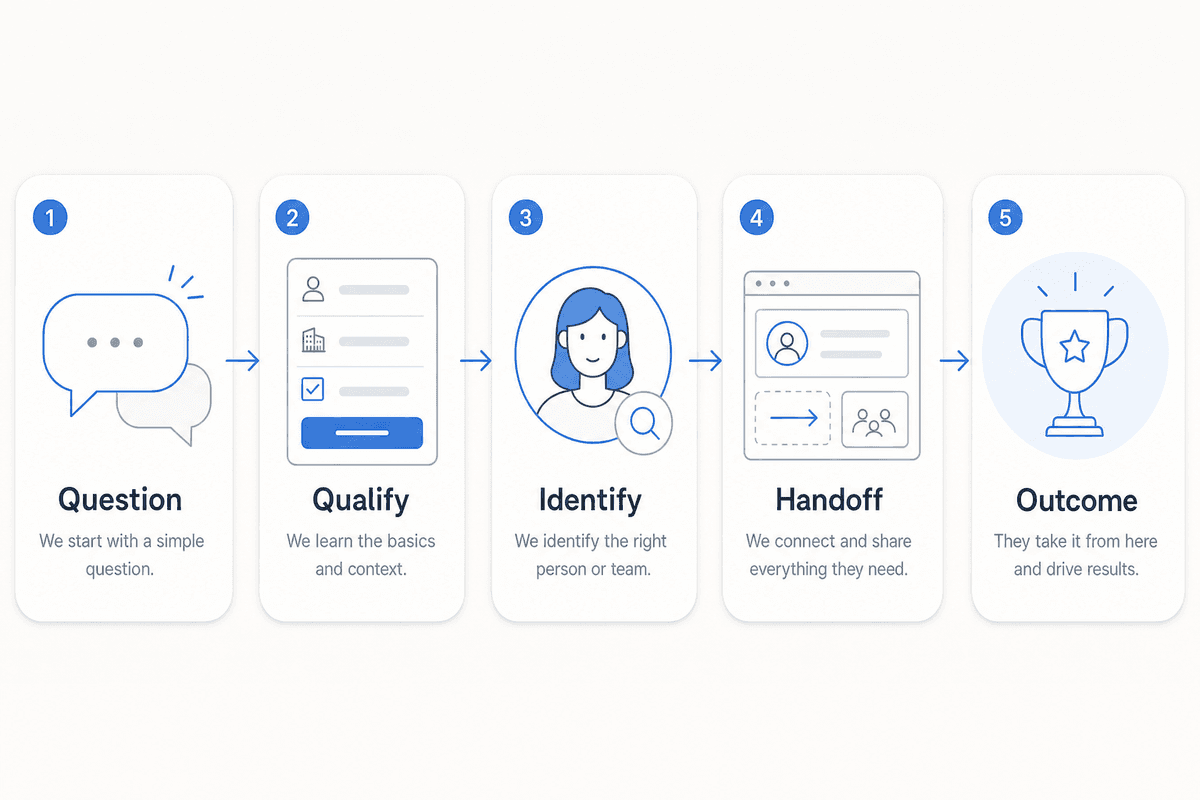
Follow one lead through the whole process:
The visitor asks a buying question.
The assistant answers using accurate business information.
It asks one or two questions that determine fit or intent.
It captures the visitor’s identity at an appropriate moment.
The conversation reaches a person or an agreed next step with its context intact.
The contact and outcome appear in the system the team checks every day.
A polished chat window only proves the first half of that sequence. Lead generation depends on the rest.
A comparison of five relevant options
Platform | Best fit | Qualification and context | Handoff and reporting |
|---|---|---|---|
Lean, website-led teams that want fewer disconnected tools | Knowledge-base-grounded, page-aware answers; email capture before escalation | Unified inbox, automatic contact updates and activity history, lead stages, plus website analytics and custom events | |
Teams already operating in HubSpot Smart CRM | Visual chatbot sequences, qualification, meeting booking, and personalization using CRM contact data | CRM synchronization and follow-up within HubSpot’s customer platform | |
Teams seeking a configurable standalone AI agent | Connected data sources, instructions, guardrails, testing, and sales-oriented product guidance | Deployment across chat, email, voice, Slack, and other supported channels, with reporting on resolutions and escalations | |
B2B revenue teams already using Salesloft | Buyer signals informed by web activity, CRM data, and previous conversations | Signals feed seller workflows so reps can act within their established revenue process | |
Support-led organizations adding sophisticated AI sales and service automation | Customer-service and sales use cases informed by company knowledge and customer context | Testing, performance reporting, and handoff within Intercom’s customer-service workflow |
These five options represent distinct operating models relevant to the requirements in this guide: an integrated website-growth system, a CRM-centered chatbot, a configurable standalone agent, a revenue-operations platform, and a service-led AI agent. This isn’t an exhaustive market survey. For example, Tidio Lyro was reviewed during research, but we didn’t include it because the available source emphasized automated resolution rather than documenting the complete lead-to-CRM and pipeline-reporting flow evaluated here.
There isn’t a credible universal winner here. The right option is the one whose operating model matches your team. Native CRM continuity may matter more than agent flexibility; a configurable standalone agent may be worth the integration work when you have unusual workflows.
Four purchase requirements determine lead-generation value
Qualification that respects intent
A visitor who asks about enterprise security may be ready for sales. Someone asking for your office hours probably isn’t. A good flow responds to that difference instead of forcing every person through the same script.
Define the minimum information needed to choose a next step. For a service business, that might be project type, timing, and budget range. For SaaS, company size and intended use may be enough. Ask the highest-value question first, then stop when the system can route the lead. Long qualification trees recreate the friction of a form inside a smaller window.
CRM handoff with usable context
Automatic contact creation is the starting requirement. Inspect what lands in the record: identity, transcript, original source, pages viewed, qualification answers, owner, and status. Then check whether a returning visitor updates the existing record or creates a duplicate.
Our CRM and contact profiles combine chat history with page views, visits, source information, form submissions, tags, and status changes. That gives the person following up enough context to understand what interested the prospect before writing a reply.
Two kinds of website context
Knowledge grounding determines whether the assistant can answer from your products, policies, documentation, and approved explanations. Page awareness tells it where the conversation is happening. A pricing-page visitor asking “Does this include reporting?” should get an answer that reflects both your source material and the page being viewed.
Test these capabilities separately. Update a policy and see when the answer changes. Ask about something absent from your sources. Put contradictory language on two pages and examine how the system responds. The maintenance model matters because AI will inherit gaps in the material you give it. Our guide to building a website knowledge base explains how to prioritize and maintain those source materials.
Visibility beyond conversation counts
Chat starts, response time, and message volume help diagnose usage. Lead generation requires later stages: contact created, qualified, next step completed, and customer. Before buying, ask the vendor to show how one test conversation appears in its reporting and CRM, then move that contact through your real sales stages.
Where each platform fits
ProjectHQ for a connected website-growth workflow
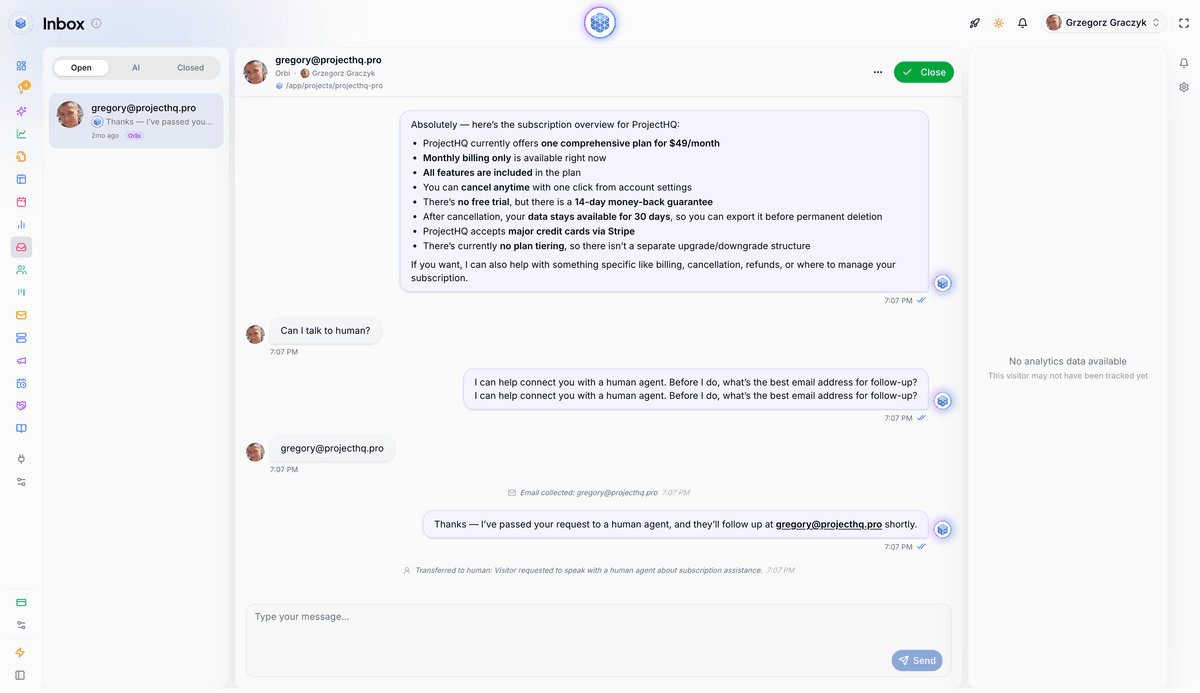
We built ProjectHQ for small teams that want the website journey in one system. Our assistant answers from the knowledge base, uses the visitor’s current page as context, and can capture an email before human escalation. A teammate can take over from the unified inbox, while conversation history remains attached to the contact.
Every chat creates or updates a CRM contact, and the Lead Board provides clear stages from lead through qualified and customer. Website analytics tracks traffic sources, UTM campaigns, forms, button clicks, and custom events. Together, those views let a small team inspect the path from page visit to conversation, contact, and pipeline status without wiring several products together.
That connected workflow is our advantage for website-led growth. A company that needs complex outbound sequences, enterprise routing, or a deep omnichannel help desk should choose a platform centered on those requirements.
HubSpot for CRM-first teams
HubSpot is a practical choice when the Smart CRM already holds your sales process. Its chatbot builder supports visual sequences, if/then branches, qualification, meeting booking, email triggers, and personalization from CRM fields. Information collected in chat syncs back to the contact, and qualified conversations can move to a live agent.
The benefit is continuity inside an established CRM. The tradeoff is scope: evaluate which features require paid Hubs and whether your team wants the larger HubSpot platform around the chatbot.
Chatbase for configurable AI agents
Chatbase fits teams that want more control over a standalone agent. You can connect data sources, define instructions and guardrails, create procedures for lead qualification or booking, test scenarios, deploy across several channels, and route escalations to a help desk. Its analytics emphasize topics, sentiment, resolution, and activity.
This flexibility makes the integration design part of the purchase. During a trial, verify the exact fields written to your CRM, how duplicates are handled, and where sales ownership gets assigned.
Salesloft for revenue operations
Salesloft’s chat agents focus on turning website buyer signals into seller actions. They can use web behavior, CRM data, and previous conversations to personalize interactions, then feed captured intent into Salesloft workflows.
That model suits B2B organizations with an established revenue process and reps working in Salesloft. It’s more infrastructure than many very small businesses need, but it aligns well when rapid seller response and revenue orchestration drive the decision.
Intercom Fin for service-led organizations
Intercom Fin spans service, sales, and ecommerce use cases. It combines business knowledge and customer history with configurable procedures, actions, testing, observability, and broad help-desk connectivity. Handoffs retain customer context, including when Fin works with supported external help desks.
Choose this route when customer operations are already substantial and AI performance management is a core requirement. Teams with a straightforward website lead flow should compare the added operational depth against the work they’ll actually use.
If consolidation is part of the decision, our guide to choosing an all-in-one marketing platform provides a broader way to compare workflow coverage, cost, and context switching.
Run a lead-flow trial before you buy
Use the same test on two finalists. Ten questions are enough: pull several from pricing and sales calls, several from implementation or security conversations, and two that your documentation intentionally doesn’t answer.
Test three visitor states
An anonymous first-time prospect on a general feature page
A high-intent visitor on pricing or a key service page
A returning contact whose details already exist in the CRM
For each state, complete the journey yourself. Read the transcript, trigger escalation, inspect the alert, open the contact record, move the lead, and find the result in reporting. A front-end demo won’t reveal a weak internal handoff.
Score what affects follow-up
Rate each item from one to five:
Answer accuracy
Relevance of qualification questions
Friction during identity capture
Transcript and context continuity
Completeness of the CRM record
Routing and owner notification
Visibility of the resulting outcome
Give extra weight to context continuity, CRM completeness, and outcome visibility. Widget colors are easy to change. A broken lead record creates recurring manual work.
A reporting setup that proves pipeline impact
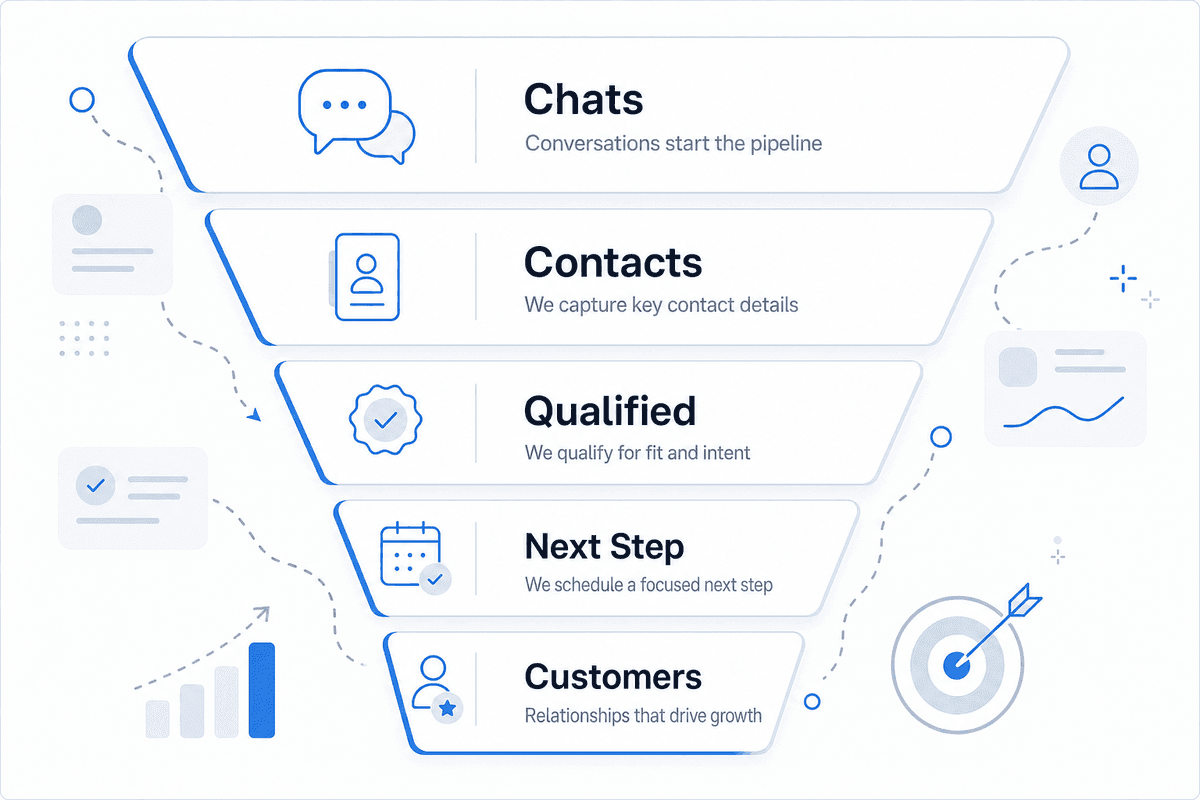
Start with a compact funnel your team can maintain:
Chats started
Contacts created
Qualified leads
Next steps completed, such as a meeting, quote, or trial
Customers
Break these results down by landing page and traffic source. Add campaign or assistant-level detail when it informs a decision. Google Analytics lets you mark business-important actions as key events, report how often users trigger them, and evaluate the channels that led to those actions. In ProjectHQ analytics, custom events can track forms, button clicks, and other interactions, while CRM status and the pipeline show what happened after contact creation.
Each rate answers a different question. Contact creation divided by chats exposes capture friction. Qualified leads divided by contacts reflects traffic quality and qualification design. Completed next steps divided by qualified leads shows whether routing and follow-up are working.
Skip borrowed conversion benchmarks. Establish your own baseline, review transcripts behind the largest drop-off, and make one change at a time. If many pricing-page chats become contacts but few qualify, the issue may be targeting or offer clarity. If qualified leads stall before a meeting, inspect response time, ownership, and the handoff message.
The practical choice for a small team
Begin with your operational center of gravity. Choose HubSpot when HubSpot CRM already runs the business. Consider Chatbase for a configurable agent that you’re prepared to connect to the rest of your stack. Salesloft fits established B2B revenue workflows, while Intercom Fin serves teams that need substantial customer-operations depth.
Choose ProjectHQ when your website is the growth engine and you want grounded chat, human takeover, contact activity, lead stages, and website measurement working together. That setup gives a lean team a short path from an answered question to a lead record it can follow.
Before committing, run the same ten-question trial on your two finalists. The deciding evidence should be waiting in the resulting contact records, pipeline stages, and outcome report.
Grzegorz is the founder of ProjectHQ and has spent 15+ years in SEO — from technical audits to content strategy that ranks. He builds the product he writes about, so the playbooks here come from running real campaigns, not theory.
Ready to grow traffic?
Write SEO-optimized articles and track your rankings with ProjectHQ.
Get started