Account settings in one window, with two-step sign-in
Your profile, byline, notifications, reports language and security now live in one window, and you can protect sign-in with an authenticator app.

Everything about you, rather than a project, now lives in one window. Click your avatar in the top right and choose Account settings. It has five sections: Profile, Author byline, Notifications, Reports language and Security. Change what you like, then save it all at once with Save changes.
Profile holds your name and photo, and Upload photo picks a new one. Author byline opens with the author box exactly as it appears under your articles, and it updates as you type your role, bio and links. Anything missing shows as a gap you can click to fill in.

Reports language sets the language of your Insights and weekly recaps, and lists each of your projects with the language its reports are written in.
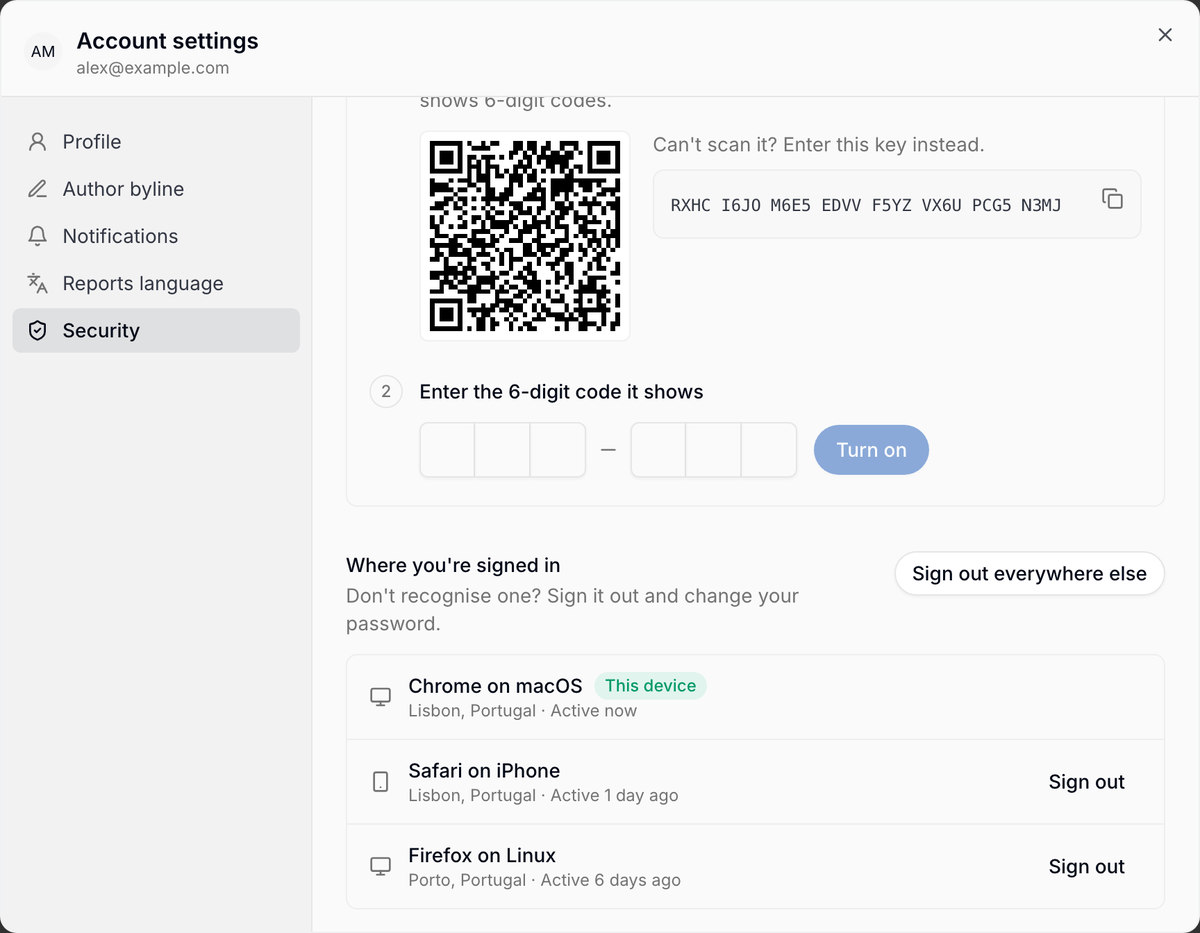
Security is new. Change password signs you out on your other devices. Two-step sign-in asks for a 6-digit code from an authenticator app after your password, so a stolen password alone isn't enough. Click Set up, scan the QR code (or copy the key), enter the code it shows, and keep the recovery codes somewhere safe. Lost your phone? A recovery code signs you in once.
Under Where you're signed in you'll see each browser and device with its location and when it was last active. Sign out any one of them, or use Sign out everywhere else.